Business Process Automation
Some of the most expensive work in a business is work no one notices. Data copied from one system into another. Reports pulled together by hand at month end. Approval requests sitting in someone's inbox waiting to be forwarded. Invoices matched manually against bank statements.
This work is expensive because it costs time, it introduces errors, and it scales with volume, the more the business grows, the more of it there is to do.
Automation removes it. Not the people doing it, the work itself.
What this covers
What this covers
Data movement and synchronisation
If information has to travel between systems and a person is the one moving it, that process can be automated. Customer records, transaction data, inventory levels, job status updates, anything that moves on a schedule or in response to an event can be automated.
Reconciliation
Matching records across systems, payments against invoices, bank statements against accounting entries, stock received against purchase orders, is time-consuming when done manually and easy to get wrong. Automated reconciliation runs continuously, flags exceptions for review, and produces a clean audit trail.
Approvals and notifications
Purchase orders, leave requests, expense claims, quote approvals, processes that sit in email threads or shared documents can be converted into structured workflows with clear routing, automatic reminders, and documented outcomes.
Reporting and data delivery
If someone is compiling a report manually from multiple sources on a regular schedule, that report can be automated. The data pulls, the formatting runs, the report lands where it needs to land, without a person assembling it each time.
Document processing
Invoices, receipts, contracts, and forms that arrive as documents and need data extracted from them can be processed automatically. The relevant fields get captured and pushed to the right system without manual re-entry.
How it works
How it works in practice
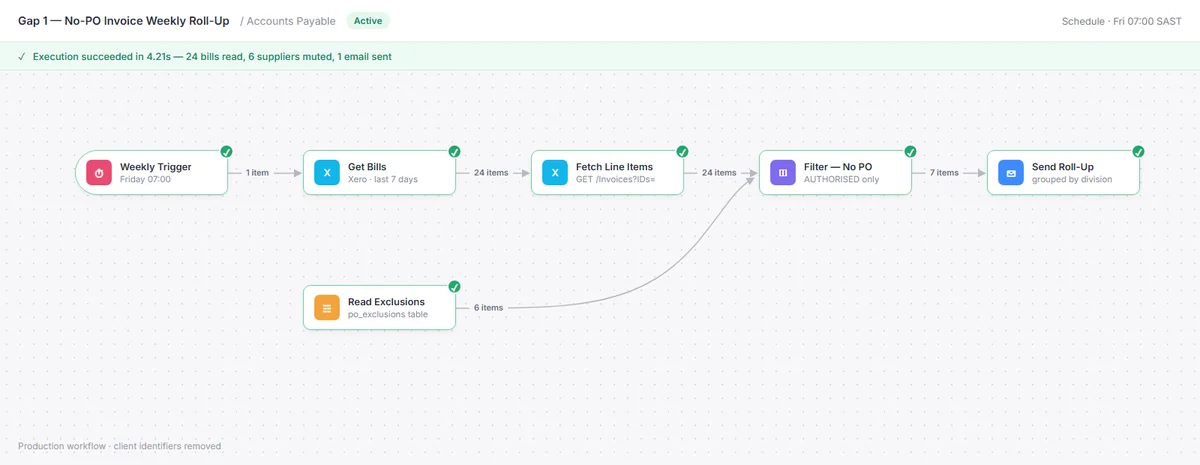
Automation is built on n8n, an open-source automation platform that runs on your infrastructure or a managed host, connects to the tools your business already uses, and handles complex multi-step processes without the per-task pricing model that makes platforms like Zapier expensive at scale.
For Microsoft-heavy environments, Power Automate is used where it fits better, particularly for processes that live inside Microsoft 365.
The work starts with understanding the process in detail before anything gets built. What triggers it. What data moves. What decisions get made along the way. Where errors happen. That understanding produces an automation that handles the real process, not an idealised version of it.
In practice
A payments business had eleven people reconciling by hand across multiple African markets, around the clock. That process now runs automatically, in real time, with a full audit trail. See the full case study →
A business had staff spending most of their day moving information between multiple disconnected operational platforms. That coordination work is gone. See the full case study →
What's the process costing you?
Describe the work. How long it takes, how often it happens, where it goes wrong. If it can be automated, you'll know that clearly within one conversation.
Get your free audit